How to Use Hume Band for Fitness Tracking? Full Experience!
How to Use Hume Band for Fitness Tracking? 🔥Setup, Activity Tracking & Fitness Progress Explained!
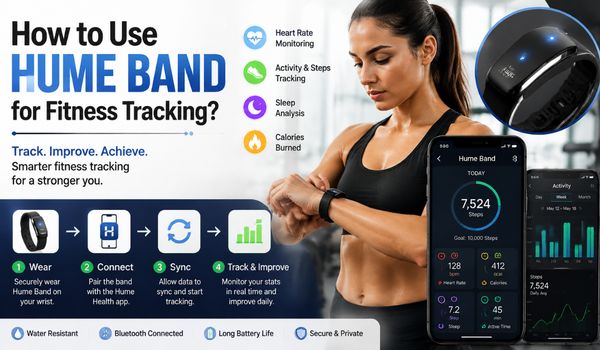
Fitness tracking has changed significantly over the past few years. The Hume Band is designed to provide continuous health and fitness-related information through the Hume Health app.
Rather than simply recording individual workouts, the platform combines activity and physiological data to help users understand how exercise, recovery, sleep, and daily habits interact.
Hume describes the Band as a continuous monitoring wearable that tracks signals related to recovery, stress, sleep, movement, and cardiovascular health.
This guide explains how to use Hume Band for fitness tracking, from initial setup to daily workouts, activity monitoring, recovery, and long-term progress.
Important: The Hume Band is a wellness and fitness tracking device, not a medical device. Its measurements and insights should not be used to diagnose, treat, or monitor a medical condition.
What Is the Hume Band?
The Hume Band is a wearable device designed to collect physiological and activity information throughout the day and night.
It works with the Hume Health app, where users can view their measurements, trends, and personalized insights.
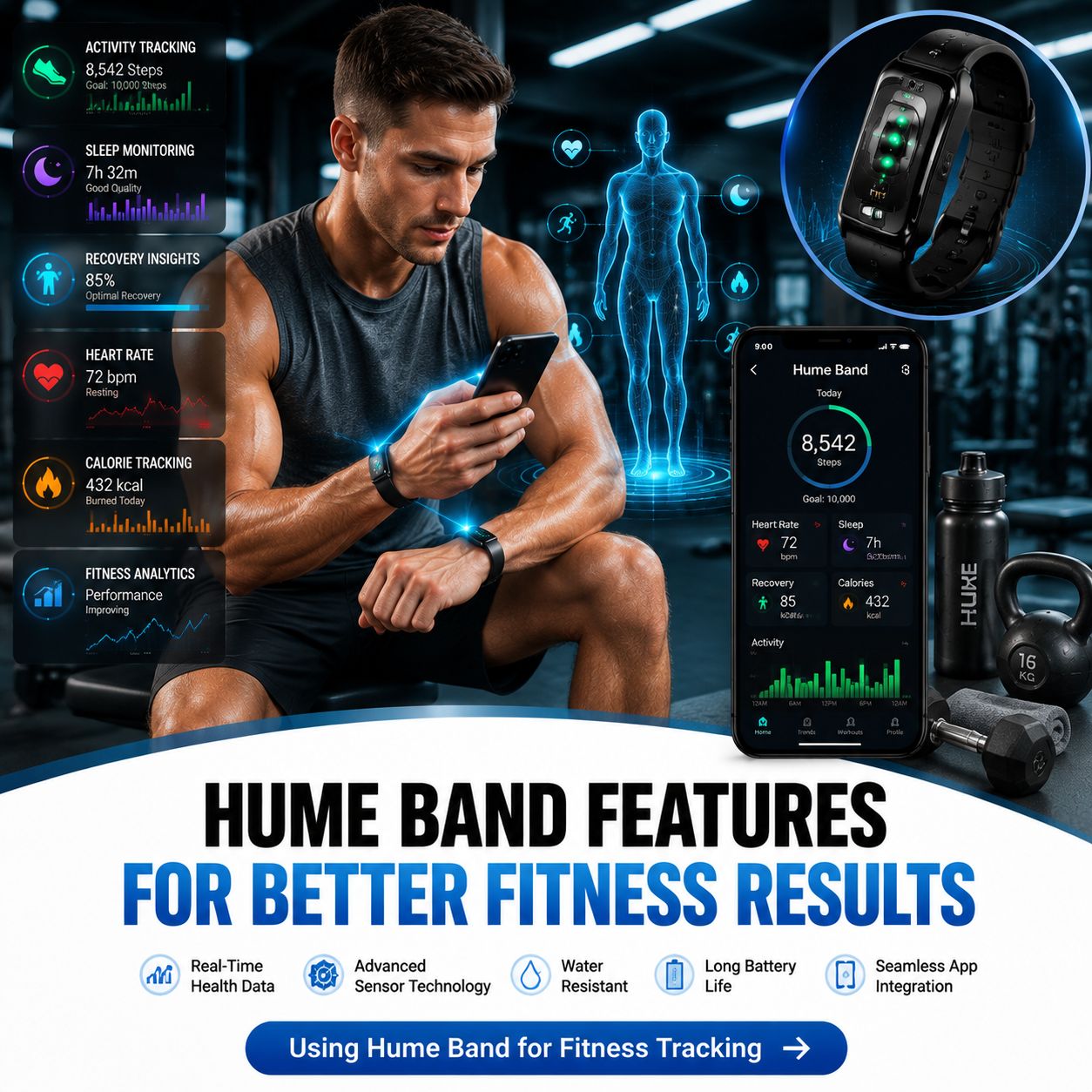
The device can track a broad range of signals. Depending on the Hume Band version and available app features, these include heart rate, heart-rate variability (HRV), blood oxygen saturation (SpO₂), sleep information, movement, activity, strain, recovery, and other health-related metrics.
The important distinction is that fitness tracking is not simply about counting steps or calories. A workout can be challenging, but whether it is appropriate for you on a particular day can also depend on sleep and recovery.
For example, imagine two days:
- On Monday, you sleep well and feel recovered before completing a demanding workout.
- On Tuesday, you sleep poorly and experience a stressful day before attempting the same workout.
The workout itself may be identical, but your body’s ability to handle it may not be. Tracking both activity and recovery can provide useful context.
That is one reason a wearable such as the Hume Band can be useful as part of a broader fitness routine.
How to Set Up the Hume Band?
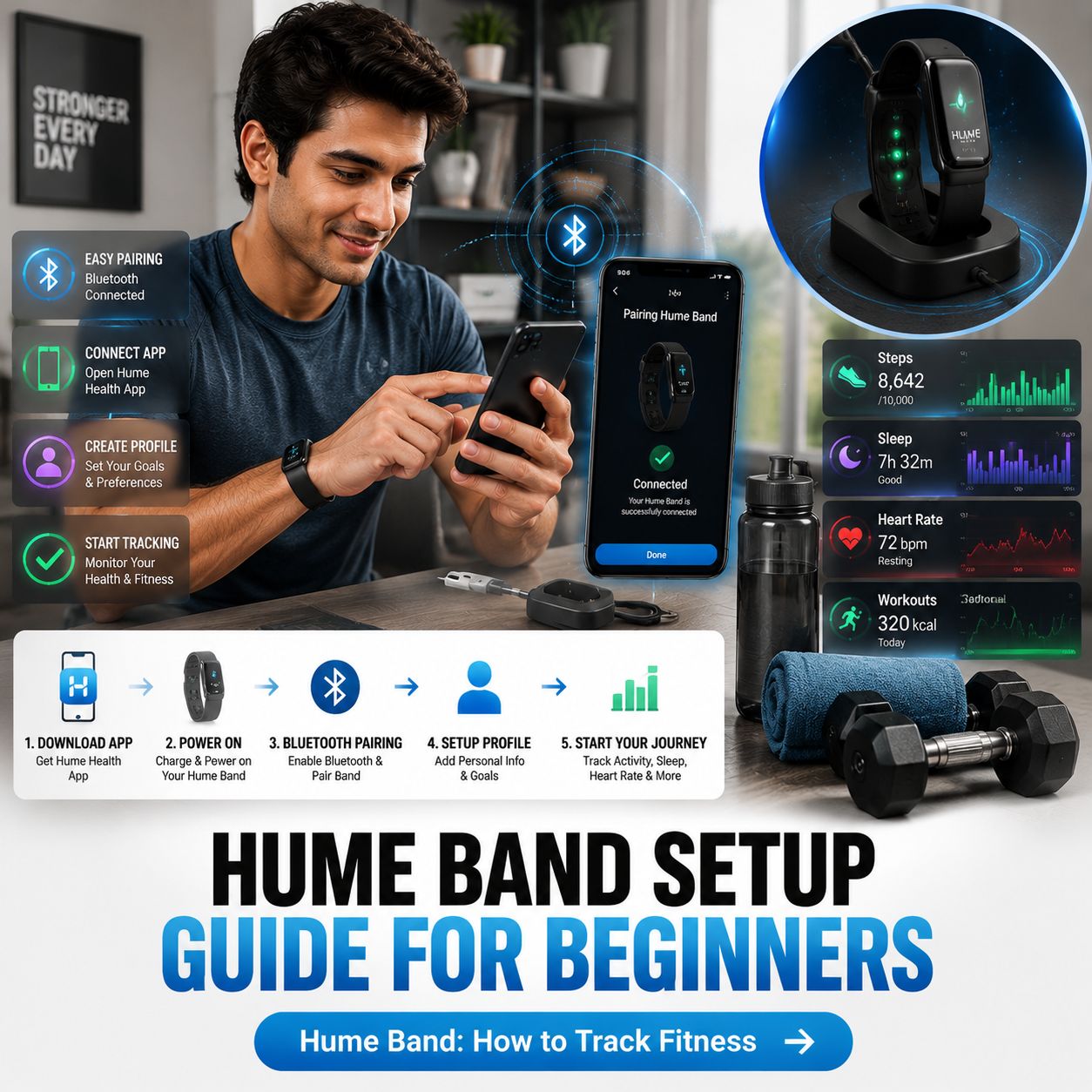
Before using the Hume Band for fitness tracking, it needs to be charged, connected to the Hume Health app, and properly paired with your smartphone.
Step 1: Charge the Band
For first-time use, Hume recommends fully charging the Band before activating and using it. The Band charges using the supplied USB-C charging cable and charging dock.
Starting with a full charge is useful because fitness tracking becomes more meaningful when you can wear the device consistently rather than repeatedly removing it because of a low battery.
Step 2: Download the Hume Health App
Install the Hume Health app on your compatible smartphone and create an account or sign in if you already have one.
The Hume app acts as the main dashboard for your Band data. Instead of relying on the small wearable itself, you use the app to review measurements, trends, and insights.
Step 3: Turn On Bluetooth
Make sure Bluetooth is enabled on your smartphone.
The Hume Band uses Bluetooth Low Energy connectivity to communicate with the phone.
Hume’s setup instructions specify that pairing should be completed through the Hume app rather than by manually pairing the Band through the phone’s standard Bluetooth menu.
Step 4: Pair the Band
Open the Hume Health app and follow the setup process.
For existing Hume users, the official quick-start instructions indicate that you can go to the Me page and select Add New Device, then choose the Hume Band from the available devices.
Once pairing is complete, allow the app to synchronize your Band data.
How Should You Wear the Hume Band?
Consistent wear is one of the most important parts of fitness tracking.
A wearable cannot provide a useful picture of your habits if it is worn only occasionally.
If you wear it during workouts but remove it for sleep, you may lose important information about overnight recovery. Likewise, wearing it at night but removing it during exercise can leave gaps in activity data.
For fitness tracking, aim for consistent use according to the manufacturer’s instructions.
The Hume Band is designed for continuous, day-and-night monitoring, and its current product information describes it as a screenless wearable intended to be worn around the clock.
Keep the device comfortably positioned on your wrist without making it unnecessarily tight. A secure, comfortable fit helps the wearable maintain contact with the skin while allowing you to move normally.
If the Band becomes uncomfortable, adjust its position rather than abandoning the tracking routine altogether.
How to Use Hume Band During Exercise?
Once the Band is set up, you can incorporate it into your normal fitness routine.
You do not necessarily need to completely change your workout program just because you are using a wearable. Instead, think of the Band as a source of additional information.
Start With Your Normal Workout
Continue with the exercise activities that fit your goals.
Depending on your fitness level, this might include:
- Walking
- Jogging
- Running
- Cycling
- Strength training
- Swimming or other suitable activities
- Group fitness classes
- Recreational sports
- General daily movement
The goal is not to make every workout harder. The goal is to understand your activity and how your body responds to it.
Pay Attention to Heart Rate
Heart rate can help provide context for exercise intensity.
A harder workout generally produces a higher heart rate than an easy walk, although the relationship varies between people and activities.
Rather than becoming overly focused on one heart-rate number, look for patterns.
For example, you might notice that a particular pace produces a lower heart rate after several weeks of training. That can be a useful indication that your cardiovascular fitness may be changing.
Hume’s published metrics information includes resting heart rate, heart-rate variability, active minutes, heart-rate zones, and other activity-related measures.
Review Active Minutes
Active minutes can help you understand how much time you spend performing activity at elevated intensity.
This can be particularly helpful for people who exercise regularly but spend much of the rest of the day sitting.
For example, a 45-minute workout is valuable, but it does not necessarily compensate for an otherwise inactive day. Looking at your broader movement patterns can encourage you to add walking breaks, take the stairs, or increase everyday activity.
Monitor Steps
Step counts are one of the simplest fitness metrics to understand.
Hume’s published Band metrics include daily steps.
However, there is no universal step target that is ideal for every individual.
Instead of assuming you must reach an arbitrary number every day, compare your current activity with your previous baseline. If you normally average 4,000 steps and gradually increase your average to 5,000 or 6,000, that may represent meaningful progress.
The key is consistency and gradual improvement.
Understanding Hume Band Strain
One of the more useful concepts for fitness tracking is strain.
Exercise creates stress on the body. That stress is not automatically negative. In fact, appropriate training stress is necessary for adaptation and improvement.
The problem can occur when training stress repeatedly exceeds your ability to recover.
Hume describes Strain Score as a measure of physical and mental stress relative to daily capacity.
This creates a useful framework:
Training stimulus + adequate recovery = adaptation
But:
High training load + insufficient recovery = accumulated fatigue
For example, someone training for a running event may intentionally have demanding training days.
The solution is not to avoid high strain altogether. Instead, harder sessions can be balanced with easier sessions, adequate sleep, nutrition, hydration, and recovery time.
Use the Band’s strain information as context rather than treating a single score as an absolute instruction.
Understanding Recovery
Recovery is just as important as exercise.
A common mistake among fitness enthusiasts is believing that more exercise always produces better results. Training is the stimulus, but recovery gives the body an opportunity to adapt.
The Hume Band tracks recovery-related information and combines signals such as HRV, resting heart rate, and sleep into recovery insights.
A recovery score can therefore be useful when deciding how aggressively to train.
For example:
Good recovery day: You may feel ready for your planned workout.
Poor recovery day: You might consider reducing intensity, choosing an easier workout, walking, stretching, or prioritizing recovery.
This does not mean you should automatically cancel a workout whenever a wearable gives you a lower score. Your actual symptoms and how you feel matter too.
Wearable data is one input, not the final decision-maker.
Why HRV Matters for Fitness Tracking?
Heart-rate variability, commonly abbreviated as HRV, refers to variation in the time interval between heartbeats.
HRV is often used as a recovery-related signal because it can provide information about autonomic nervous system activity.
Hume includes HRV among the metrics used to assess recovery and overall physiological patterns.
However, HRV can naturally vary from day to day.
Factors that may influence HRV include:
- Sleep quality
- Training load
- Psychological stress
- Alcohol
- Illness
- Changes in routine
- Recovery status
- Other individual factors
For this reason, looking at a longer trend is generally more useful than reacting to one unusually high or low reading.
If your HRV changes noticeably for one night, that does not necessarily mean something is wrong.
If you see a persistent pattern alongside fatigue or other symptoms, it may be worth taking a closer look at your training and recovery habits and, when appropriate, discussing health concerns with a qualified healthcare professional.
Use Sleep Data to Improve Training
Fitness does not happen only inside the gym.
Sleep is an important part of recovery, and the Hume Band is designed to monitor sleep-related information during the night. Hume describes tracking sleep stages and overnight signals including HRV, resting heart rate, respiratory rate, and SpO₂.
Instead of looking only at how long you exercised, consider your complete daily routine.
For example:
Morning: Review sleep and recovery information.
Afternoon: Complete your planned workout or adjust the intensity based on your overall condition.
Evening: Prioritize behaviors that support recovery and prepare for the next night’s sleep.
Over time, this approach can help reveal relationships between your lifestyle and training.
You might notice that consistent sleep is followed by better recovery, while several nights of disrupted sleep coincide with reduced energy or greater perceived effort during workouts.
Create a Simple Fitness Tracking Routine
The easiest way to use the Hume Band effectively is to create a routine.
Every Morning
Spend a minute reviewing:
- Sleep
- Recovery
- Resting heart rate
- HRV
- Other available overnight metrics
Ask yourself:
How do I feel today?
Then compare that answer with your wearable data.
During the Day
Pay attention to:
- Steps
- Active minutes
- Exercise
- Heart rate
- Overall movement
- Training intensity
Do not feel the need to constantly check the app. Fitness tracking should support your lifestyle, not become a source of anxiety.
After Exercise
Think about how the workout felt.
Was it:
- Easy?
- Moderate?
- Challenging?
- Much harder than expected?
Compare your subjective experience with the data collected by the Band.
This combination can be more useful than relying exclusively on a device score.
These questions turn raw data into practical information.
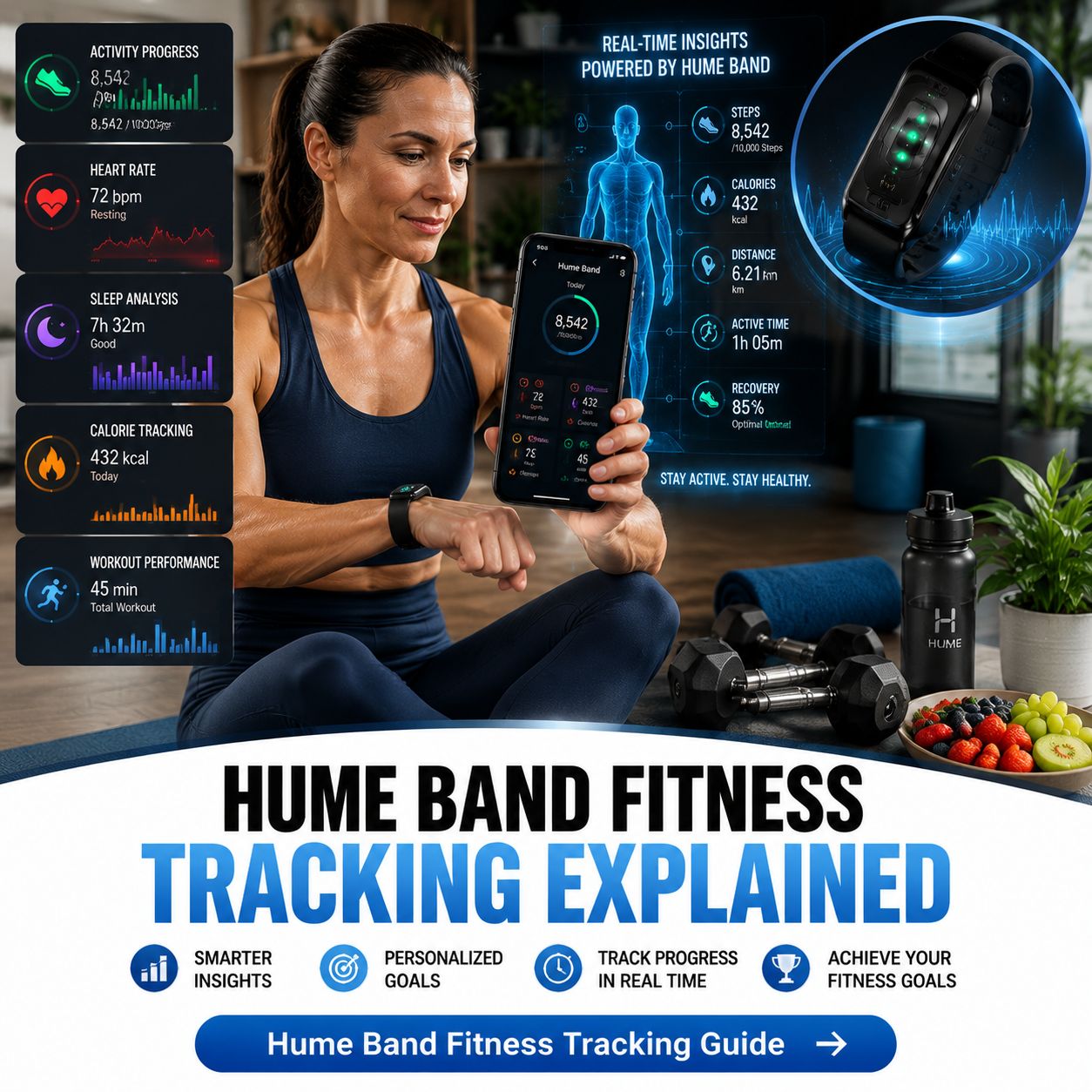
How to Use Hume Band for Muscle-Building Goals?
If your primary goal is building muscle, the Band should be considered a complementary tracking tool rather than a direct muscle-measurement device.
Strength training creates a stimulus, while nutrition and recovery support adaptation.
You can use wearable information to monitor the lifestyle factors surrounding your training.
For example:
- Workout – Complete progressive resistance training.
- Activity – Maintain an appropriate level of general movement.
- Recovery – Monitor whether demanding training is being balanced with adequate recovery.
- Sleep – Maintain a consistent sleep schedule.
- Nutrition – Consume adequate energy and protein according to your individual needs.
- Progress – Track strength, repetitions, body measurements, and other appropriate outcomes.
If you also use the Hume Body Pod, body-composition measurements can add another layer of information, but those measurements should be evaluated as trends rather than treated as perfectly precise day-to-day readings.
How to Interpret Fitness Data Without Overreacting?
Wearables can generate a lot of numbers.
That can be useful, but it can also become overwhelming.
Suppose your recovery score drops one morning. Should you immediately change your entire training plan?
Not necessarily.
Instead, consider the bigger picture.
Look at trends
One measurement is less informative than a pattern over several days or weeks.
Combine objective and subjective information
Ask how you feel. If the Band suggests reduced recovery and you also feel exhausted, that combination deserves more attention.
Consider outside factors
Travel, poor sleep, stress, illness, changes in diet, and unusually hard workouts can all influence measurements.
Avoid chasing perfect numbers
Fitness is not a competition against your wearable.
The goal is to become healthier, fitter, stronger, or more capable over time.
Common Mistakes When Using the Hume Band
Mistake 1: Wearing It Only During Workouts
If you remove the Band immediately after exercising, you lose valuable information about your recovery and daily activity.
Consistent wear provides more context.
Mistake 2: Focusing on One Number
A single step count, calorie estimate, HRV reading, or recovery score does not define your fitness.
Look at multiple measurements together.
Mistake 3: Trying to Maximize Strain Every Day
More strain is not automatically better.
Training requires balance. Hard days should generally be supported by easier periods and adequate recovery.
Mistake 4: Ignoring Sleep
A strong workout cannot completely replace poor recovery habits.
Use overnight data to identify patterns and improve your daily routine.
Mistake 5: Comparing Your Numbers With Someone Else’s
Wearable metrics are highly individual.
Your HRV, resting heart rate, activity level, and recovery patterns may differ significantly from another person’s.
Track your own baseline and progress.
Mistake 6: Treating Wearable Data as a Diagnosis
The Hume Band is not a medical device. Hume explicitly states that it is not intended to diagnose or monitor medical conditions.
If you have concerning symptoms or questions about your health, consult an appropriately qualified healthcare professional.
How to Make Your Hume Band Data More Useful?
The most useful fitness data is consistent data.
Try to establish a routine that you can realistically maintain.
Wear the Band consistently, synchronize it with the app, and review your information at predictable times rather than constantly checking it.
It can also help to keep a simple workout journal.
For each workout, record:
- Exercise type
- Duration
- Intensity
- How you felt
- Major performance measures
- Any unusual circumstances
Then compare your notes with the Band’s information.
Over several weeks, you may begin to identify patterns that are more meaningful than any individual daily measurement.
For example, you may discover that your hardest workouts feel easier after several weeks of consistent training, or that your recovery tends to be poorer after consecutive nights of insufficient sleep.
That is where fitness tracking becomes genuinely useful: it helps you connect actions with patterns.
Hume Band and Long-Term Fitness Progress
Fitness improvements rarely happen overnight.
A single workout can make you feel tired, but meaningful improvements in endurance, strength, body composition, and overall fitness generally require consistent habits over time.
This is why trend tracking matters.
The Hume Band’s platform is designed to combine multiple health and activity signals rather than focusing exclusively on a single fitness measurement. Hume’s current materials emphasize recovery, sleep, HRV, strain, movement, and longer-term health trends.
Instead of asking:
“Was today’s score perfect?”
A better question is:
“Is my overall trend moving in the direction I want?”
That change in mindset can make wearable data much more useful.
What to Do If the Band Stops Syncing?
If the Hume Band is not synchronizing correctly, start with the basics.
Check that:
- The Band is powered on.
- Your smartphone’s Bluetooth is enabled.
- The Hume app has the necessary Bluetooth permissions.
- The Hume app is open and functioning normally.
- The Band has sufficient battery.
- You are pairing through the Hume app rather than directly through your phone’s Bluetooth settings.
Hume’s official troubleshooting guidance recommends checking Bluetooth permissions, restarting the Hume app, and confirming that the Band’s battery level appears in the app.
If the Band still fails to collect data, contacting Hume support may be appropriate.
Is the Hume Band Good for Fitness Tracking?
The answer depends on what you want from a fitness wearable.
If you want a device that provides context around activity, recovery, sleep, cardiovascular signals, and broader health trends, the Hume Band can be incorporated into a structured fitness-tracking routine.
Its main value is not simply collecting numbers. The more useful approach is to combine the information with your workouts, sleep habits, recovery, and personal goals.
For example, a runner might use it to observe activity and recovery patterns. Someone beginning an exercise program might use daily movement and sleep information to build more consistent habits.
A recreational athlete might use strain and recovery information to understand how demanding training affects the following days.
The device should support your decision-making rather than control it.
A Simple Hume Band Fitness Tracking Plan
For beginners, the following routine is a practical starting point:
- Morning – Check sleep and recovery-related information.
- Daytime – Wear the Band consistently and allow it to collect activity data.
- Workout – Complete your planned exercise while paying attention to how the session feels.
- After exercise – Review activity and heart-rate information when convenient.
- Evening – Consider whether your activity level, nutrition, hydration, stress, and sleep routine support recovery.
- Weekly – Review trends rather than obsessing over individual readings.
- Monthly – Compare your current fitness habits and progress with your starting point.
This approach keeps fitness tracking simple and sustainable.
Final Thoughts
Learning how to use Hume Band for fitness tracking is less about checking every number and more about understanding patterns.
Start by setting up the Band correctly, pairing it with the Hume Health app, and wearing it consistently.
Then use the available information to monitor activity, heart rate, steps, active minutes, strain, sleep, HRV, and recovery.
Most importantly, combine wearable data with your own experience.
A fitness tracker cannot tell you everything about your body. It can, however, help you see patterns that may otherwise be difficult to notice.
When used this way, the Hume Band becomes more than a step counter. It can serve as one part of a broader system for understanding your activity and recovery and making more informed fitness decisions.
Remember that wearable measurements are estimates and should be interpreted in context.
If you experience unusual symptoms, have an existing medical condition, or are concerned about a health measurement, seek advice from a qualified healthcare professional rather than relying solely on wearable data.
For the most accurate setup and current device-specific instructions, refer to Hume Health’s official quick-start and support materials, since app features and Band capabilities can change over time.
.
.
.
.