How to Use Hume Band Step By Step Instructions? Tracking Guide
Hume Band Setup Guide 🔥Step-by-Step Instructions, Activity Tracking & Fitness Progress Tips!
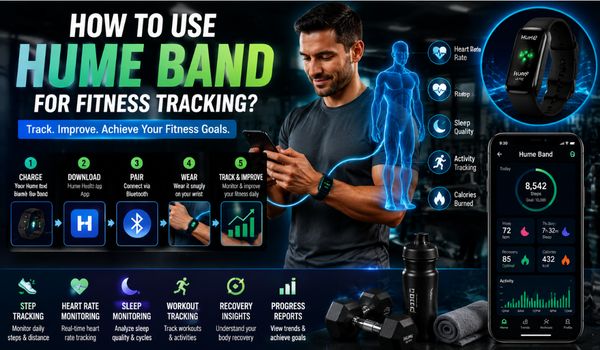

Fitness tracking is easier with wearable technology, helping you monitor activity, exercise, sleep, recovery, and daily progress in one place.
The Hume Band is designed for this type of continuous tracking. Worn on the wrist, it collects health and activity data and works with the Hume Health app to turn that information into understandable trends and insights.
Depending on the Hume Band version you use, the platform can track metrics such as heart rate, heart rate variability (HRV), activity levels, movement, calories, distance, sleep, recovery, strain, blood oxygen, and skin temperature.
What Is the Hume Band?
The Hume Band is a screenless wearable that continuously monitors health and activity data as you wear it.
Instead of displaying everything directly on the wrist, the band works with the Hume Health app, where you can review your measurements and trends.
Hume’s current Band 2.0 materials describe continuous tracking of heart rate, HRV, sleep, recovery, blood oxygen, skin temperature, activity levels, strain, steps, distance, and calories.
The platform also presents higher-level insights to help users understand the relationships among activity, recovery, sleep, and other health behaviors.
For fitness tracking, this can be useful because fitness is not just about how hard you exercise. Your results are influenced by several factors, including:
- How much you move during the day
- How intensely you train
- How well you sleep
- How quickly you recover
- Your resting heart rate
- Changes in HRV
- Your overall activity level
- Your consistency over time
A wearable can help organize these signals in one place.
How to Set Up the Hume Band for Fitness Tracking?
Before you can start tracking workouts and daily activity, you need to properly set up your Hume Band.
Step 1: Charge the Hume Band
If you are using a new Hume Band, charge it before your first use.
Hume’s quick-start instructions state that the band should be fully charged before initial use. The original Band’s typical full charge time is approximately 1.5 hours, although battery performance varies by model and usage.
For the original Hume Band, the manufacturer lists approximately four to five days of regular-use battery life. Hume Band 2.0 is advertised with a substantially longer battery life of up to 14 days.
Keeping the battery sufficiently charged is important because fitness tracking becomes much less useful when your wearable repeatedly stops collecting data.
Step 2: Download the Hume Health App
Install the Hume Health app on your compatible smartphone.
The app is the central location where your Hume Band data is synchronized and displayed. Hume says the app is available through the major mobile app stores.
After installing it:
- Open the Hume Health app.
- Create a Hume account or log in.
- Make sure Bluetooth is enabled on your phone.
- Allow the necessary Bluetooth permissions.
- Follow the setup instructions shown inside the app.
Step 3: Pair the Band Through the App
One important point is that Hume’s quick-start instructions specifically state that pairing should be completed through the Hume Health app rather than directly in your phone’s Bluetooth settings.
Open the app and follow the device setup process. Select your Hume Band when it appears and complete the on-screen pairing instructions.
For existing Hume users, the official instructions indicate that you can go to the device area, select Add New Device, choose the Hume Band, and follow the setup wizard.
Once paired, the band can begin synchronizing activity and health information with the app.
How Should You Wear the Hume Band?
Correct positioning matters when using any wrist-based wearable.
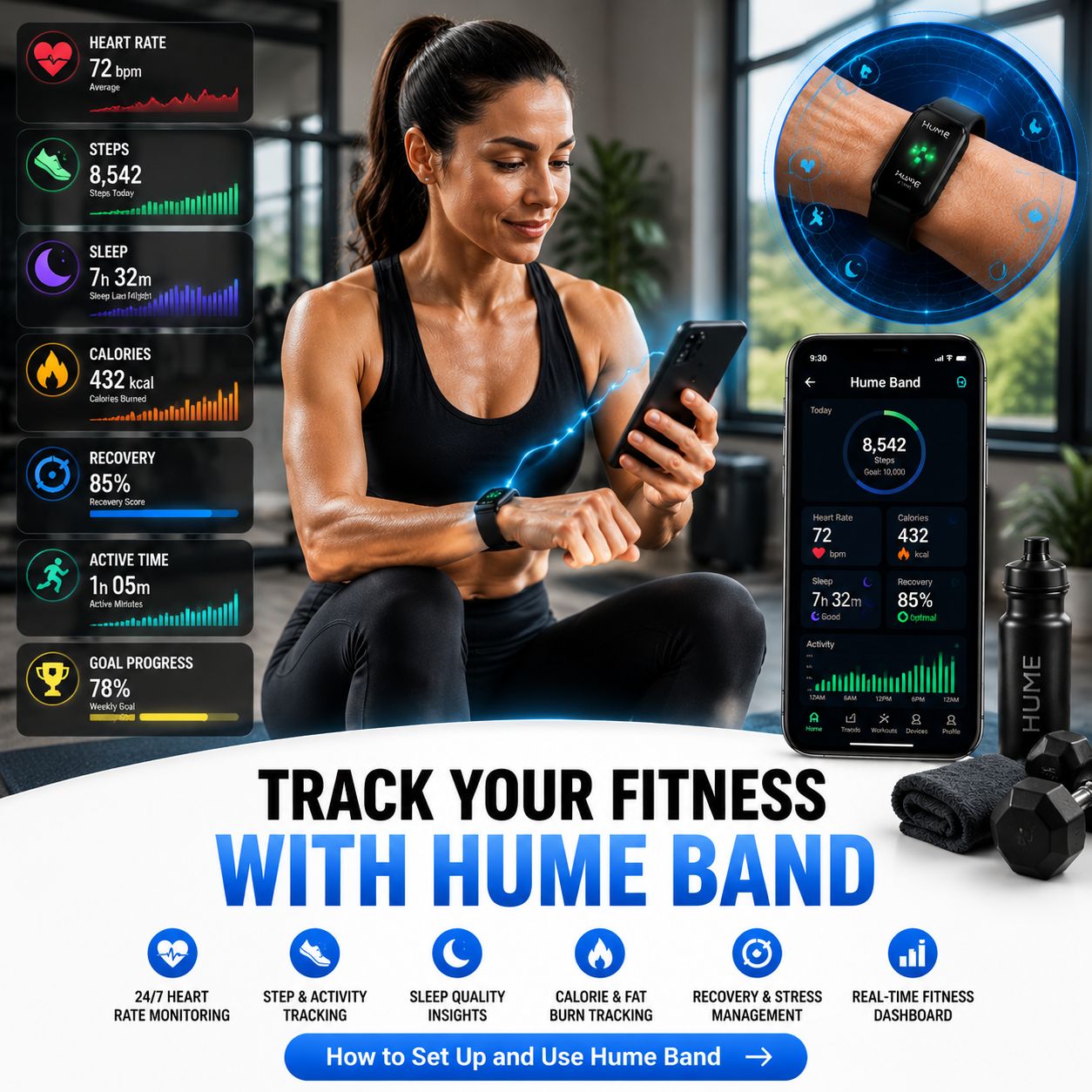
The Hume Band is designed to be worn continuously, including during exercise and sleep. Hume describes Band 2.0 as a 24/7 wearable intended to capture information throughout the day and night.
Wear the band comfortably around your wrist without making it excessively tight.
It should be secure enough to remain in position during movement but comfortable enough for extended wear.
A consistent wearing routine is especially helpful if you want to compare your fitness and recovery trends over several weeks.
For example, if you wear the band only during workouts, you may see exercise information but miss important context from sleep and recovery. Wearing it more consistently gives the app more information to work with.
How to Use Hume Band for Fitness Tracking During Exercise?
Once your Hume Band is connected and comfortably positioned, the next step is using it during your workouts.
The basic approach is simple:
Wear it → exercise → sync the data → review the results → adjust your next workout when appropriate.
The Hume Band’s current product information describes automatic monitoring of activity and movement, heart rate, calories, distance, and active-zone information, depending on the model and software features available.
Before Your Workout
Before exercising, check that:
- Your band has enough battery.
- Bluetooth is enabled if synchronization is needed.
- The band is securely positioned.
- Your Hume Health app is functioning normally.
- Your previous data has synchronized if you want a complete daily record.
You do not need to spend several minutes preparing the device every time. The goal is to make fitness tracking part of your normal routine.
During Your Workout
Wear the band throughout your session.
Whether you are walking, running, cycling, doing strength training, participating in a fitness class, or simply increasing your daily activity, the wearable can collect information associated with your movement and physiological signals.
Instead of obsessing over every number while exercising, focus first on your workout itself.
For example, during a running session, you might care about:
- Heart rate
- Duration
- Distance
- Calories
- Activity intensity
During strength training, you may be more interested in overall activity, heart-rate response, workout duration, and how your body recovers afterward.
The best metric depends on the type of exercise you are doing.
How to Track Steps, Distance, and Daily Movement?
Fitness is not limited to formal workouts.
A person can complete a 30-minute workout and still spend most of the remaining day sitting. That is why daily movement can be an important part of the bigger picture.
Hume Band 2.0 materials list steps, distance, active zone minutes, and calories among its activity-related measurements.
Use your daily activity information to answer practical questions such as:
- Am I moving more than I did last week?
- Am I consistently active?
- Are most of my active minutes coming from workouts?
- Do I become less active on certain days?
- Am I balancing exercise with enough recovery?
Rather than treating one day’s number as a pass-or-fail score, look for patterns.
For example, suppose your activity looks like this:
- Monday: 4,500 steps
- Tuesday: 6,000 steps
- Wednesday: 7,200 steps
- Thursday: 5,000 steps
- Friday: 8,000 steps
The useful observation may not be that Friday was your best day. It may be that your activity is gradually becoming more consistent.
That long-term pattern is often more useful than one isolated number.
What Is HRV and Why Does It Matter for Fitness?
Heart rate variability, commonly abbreviated as HRV, refers to variation in the timing between heartbeats.
It is not simply another version of heart rate.
HRV is often discussed in relation to recovery and autonomicnervous systemm activity. Hume includes HRV among the signals it tracks and uses it as part of its broader recovery insights.
One of the most important things to understand about HRV is that your personal trend matters more than comparing your number with someone else’s.
For example, imagine your typical HRV is relatively stable for several weeks and then suddenly changes after several nights of poor sleep and unusually hard workouts.
That pattern may tell you something useful about your current recovery state.
How Sleep Tracking Supports Fitness Goals?
Sleep is often treated as separate from fitness, but it is closely connected to how you feel and perform.
Hume Band 2.0 is designed to track sleep stages including light, deep, REM, and awake periods, alongside other recovery-related measurements.
Checking your sleep data can help you identify patterns.
For example, you might notice:
Poor sleep → lower energy → harder workout → slower recovery
Or perhaps:
Consistent sleep → better energy → stronger workouts → improved consistency
The important point is not to become obsessed with the exact number of minutes recorded in each sleep stage.
Wearable sleep-stage estimates should be viewed as useful trends rather than definitive clinical measurements.
Instead, ask:
- Am I getting enough sleep consistently?
- Do poor-sleep nights affect my workouts?
- Does my recovery tend to improve after better sleep?
- Are my bedtime and wake-up times reasonably consistent?
These questions can produce more actionable insights.
How to Use the Hume Health App?
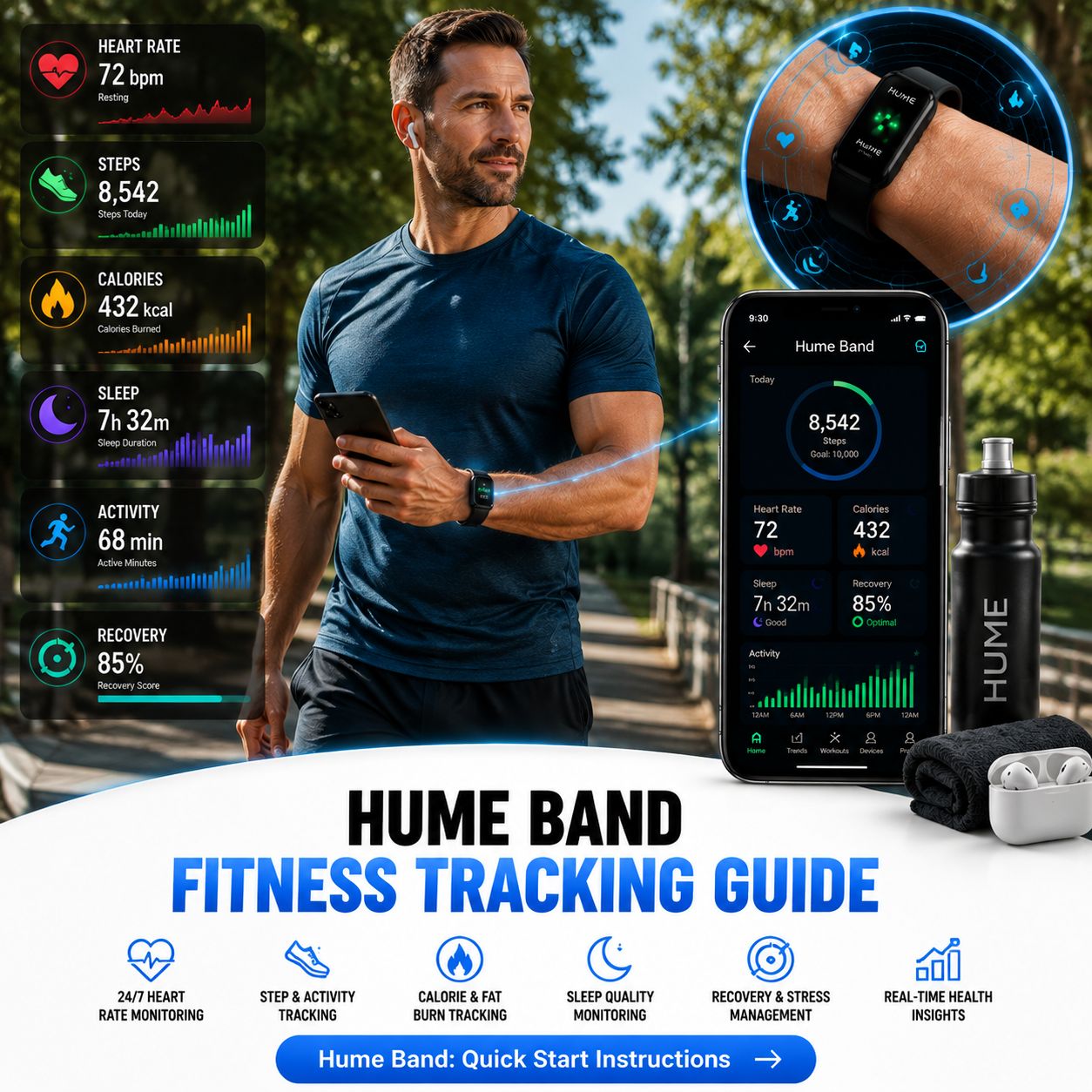
The Hume Health app is where the information collected by your band becomes easier to interpret.
Hume describes the app as a central platform for connecting data from its devices and viewing health and progress information.
Depending on your device and available features, you may see information related to:
- Activity
- Heart rate
- HRV
- Sleep
- Recovery
- Strain
- Calories
- Distance
- Steps
- Health scores
- Body composition when using compatible Hume devices
Instead of checking every metric independently, try to look at the relationships between them.
For example:
Workout intensity + sleep + HRV + recovery
can tell a more useful story than any single measurement.
A Simple Morning Hume Band Routine
One of the easiest ways to make fitness tracking consistent is to create a simple morning routine.
Open the Hume Health app – Check whether your previous night’s data has synchronized.
Review your sleep, look at the overall sleep picture rather than focusing on a single number.
Check recovery-related information , if your app provides it, see how your current state compares with your normal trend.
Review activity from the previous day – Look at whether you were highly active, moderately active, or mostly sedentary.
Plan today’s workout – Use the information as one input when deciding whether today should be:
- A hard training day
- A moderate workout
- Light activity
- A recovery day
This approach turns the wearable from a passive data collector into a tool that can support better daily decisions.
How to Use Hume Band for Weight-Loss Fitness Tracking?
If your goal is weight loss, avoid focusing exclusively on calories burned.
A better approach is to monitor several behaviors together:
Movement + exercise + sleep + recovery + nutrition + long-term trends
The Hume Health ecosystem can combine activity data with other health and body composition data when compatible Hume devices are used.
The Hume app offers progress tracking and body composition features, while the Body Pod provides measurements such as weight, body fat, and muscle-related metrics.
For example, you might track:
- Weekly activity consistency
- Exercise frequency
- Daily movement
- Sleep patterns
- Recovery
- Body-weight trend
- Body-composition trends when using compatible equipment
Do not become discouraged by normal day-to-day fluctuations. Fitness and weight-management progress should generally be evaluated over weeks and months rather than by a single day’s measurement.
How to Use Hume Band for Muscle-Building Goals?
People trying to build muscle often make the mistake of measuring success only through workout intensity.
Recovery matters too.
If you repeatedly perform demanding strength workouts without allowing adequate recovery, your training quality may suffer.
A wearable can help you observe relationships between:
Training → recovery → sleep → consistency
For example, you may notice that your strongest training sessions tend to occur after nights when your sleep is better and your recovery indicators are favorable.
The band does not replace a properly structured strength-training program, appropriate nutrition, or professional coaching. Instead, it provides additional information that may help you understand your routine.
How to Use Hume Band for Running?
Runners can use wearable data to monitor their training patterns over time.
Depending on your Hume Band version and available features, relevant information may include:
- Heart rate
- Distance
- Calories
- Activity duration
- Steps
- Active minutes
- Recovery
- Sleep
A beginner might use this information to establish consistency.
An experienced runner might use it to compare training load and recovery across weeks.
For example, if you increase your running volume substantially while sleep decreases and recovery indicators deteriorate, the combined pattern may suggest that your training plan deserves a closer look.
Do not use a single wearable metric as the sole basis for increasing or decreasing training intensity.
How to Use Hume Band for Walking and Everyday Fitness?
You do not need to be a serious athlete to benefit from fitness tracking.
Walking is one of the simplest ways to increase daily movement, and a wearable can make progress easier to see.
Try setting a realistic baseline.
For example:
Week 1: Establish your normal activity level.
Week 2: Add a little more movement.
Week 3: Maintain consistency.
Week 4: Review the overall trend.
Rather than suddenly trying to achieve an unrealistic activity target, gradually build a routine you can maintain.
The best fitness plan is usually not the one you can follow perfectly for three days. It is the one you can realistically continue for months.
How Long Should You Wear the Hume Band?
For comprehensive tracking, consistent wear is important.
Hume describes its Band as a 24/7 wearable, and its product materials emphasize continuous monitoring across day and night.
If you only wear the device during workouts, you may miss useful information about:
- Sleep
- Overnight heart rate
- HRV
- Recovery
- Daily movement
- Rest periods
The more consistently you wear it, the more complete your personal trend data can become.
That does not mean you need to panic about occasionally removing it. Missing an isolated period of data is different from repeatedly wearing the band only during workouts.
Hume’s own guidance notes that more complete data during the first week can help personalized insights develop sooner.
How to Get Better Fitness Insights From Hume Band?
Here are several practical habits that can make your tracking more useful.
Focus on trends
Do not let one unusual reading determine your entire training plan.
Look at changes across days and weeks.
Establish your baseline
Your normal heart rate, HRV, sleep, activity, and recovery patterns are more useful than generic numbers.
Be consistent
Try to wear the band regularly and maintain reasonably consistent measurement habits.
Compare data with how you feel
Technology gives you numbers, but your own experience still matters.
If the app says you are doing well but you feel unwell, unusually fatigued, dizzy, or have other concerning symptoms, do not ignore them.
Look for relationships
Ask what happens to your recovery after hard training.
Ask whether sleep affects your workout performance.
Ask whether increased daily movement is sustainable.
This is where fitness tracking becomes genuinely useful.
Common Mistakes to Avoid
Checking the app constantly
More data does not automatically mean better decisions.
Checking every metric repeatedly can make fitness feel complicated.
Instead, create specific times to review your information.
Chasing a single score
A health or recovery score can be useful, but it should not become your entire fitness strategy.
Look at the underlying information and your broader trend.
Ignoring recovery
Increasing workout intensity every day is not necessarily the fastest route to improvement.
Recovery is part of training.
Treating wearable estimates as medical measurements
The Hume Band is a wellness wearable, not a substitute for professional medical evaluation. Hume’s quick-start information explicitly states that the Band is not a medical device and is not intended to diagnose or monitor medical conditions.
Comparing yourself with other users
Your baseline is unique.
Use your own historical data whenever possible.
What to Do If the Hume Band Is Not Tracking Data?
If your band is not collecting or synchronizing information correctly, start with the basics.
According to Hume’s troubleshooting guidance:
- Confirm the device is powered on.
- Check that Bluetooth is enabled.
- Make sure the Hume Health app has the required Bluetooth permissions.
- Restart the app.
- Return to the app’s home screen.
- Check whether the band’s battery level appears in the app.
If the band still fails to record data, Hume recommends contacting its support team.
Final Thoughts
Learning how to use the Hume Band for fitness tracking is not really about memorizing dozens of numbers. It is about consistently using a small amount of meaningful information.
Start by charging and pairing your Band correctly. Wear it regularly. Let it collect information during workouts, everyday activity, and sleep.
Then use the Hume Health app to look at patterns in movement, heart rate, sleep, HRV, recovery, and other available metrics.
Most importantly, do not let the numbers replace common sense.
A good fitness routine still depends on appropriate exercise, adequate recovery, nutritious food, quality sleep, and consistency.
The Hume Band can provide additional information to help you understand how your habits and training affect your overall fitness journey.
When you consistently track your activity, observe your recovery, recognize patterns, and make small adjustments over time, your wearable becomes more than a fitness tracker.
It becomes a tool for understanding your own habits and building a more sustainable approach to fitness.
.
.
.
.